How to register a new student on Noor
The Ministry's central registration flow for new students entering KG, primary, intermediate, or secondary in any MOE-aligned school in Saudi Arabia.
Noor opens new student registration each year in February or March, with deadlines in May or June. Registration is only for students entering Grade 1 (Primary) or KG (Kindergarten). The flow has four steps: fill in the registration request, select the grade, enter student details, and choose the school. The whole process is online — the Ministry assigns a school based on your preferences and proximity, then you visit in person to finalise enrolment.
Step-by-step
- 01
Open "Register Children" from the dashboard
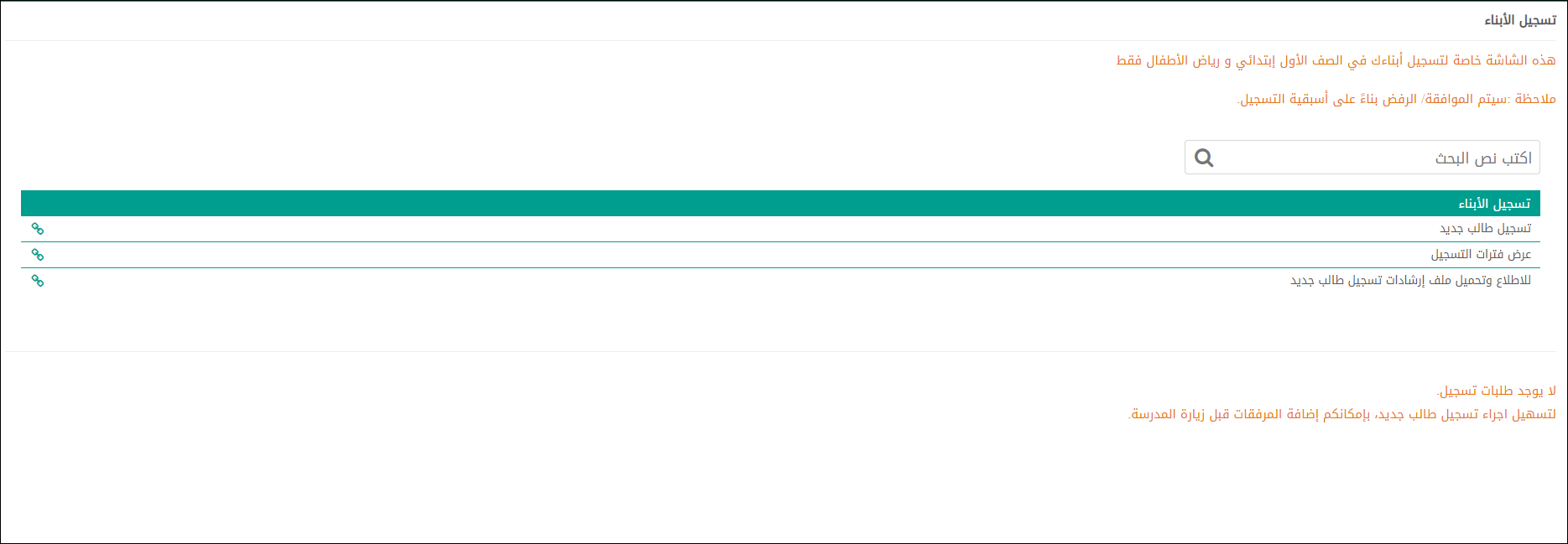
Sign in to Noor as the parent and click the "Register Children" (تسجيل الأبناء) tile on the dashboard. This screen is only for Grade 1 Primary and Kindergarten — the Ministry notes that approval/rejection is based on registration priority.
- 02
Check the registration periods first
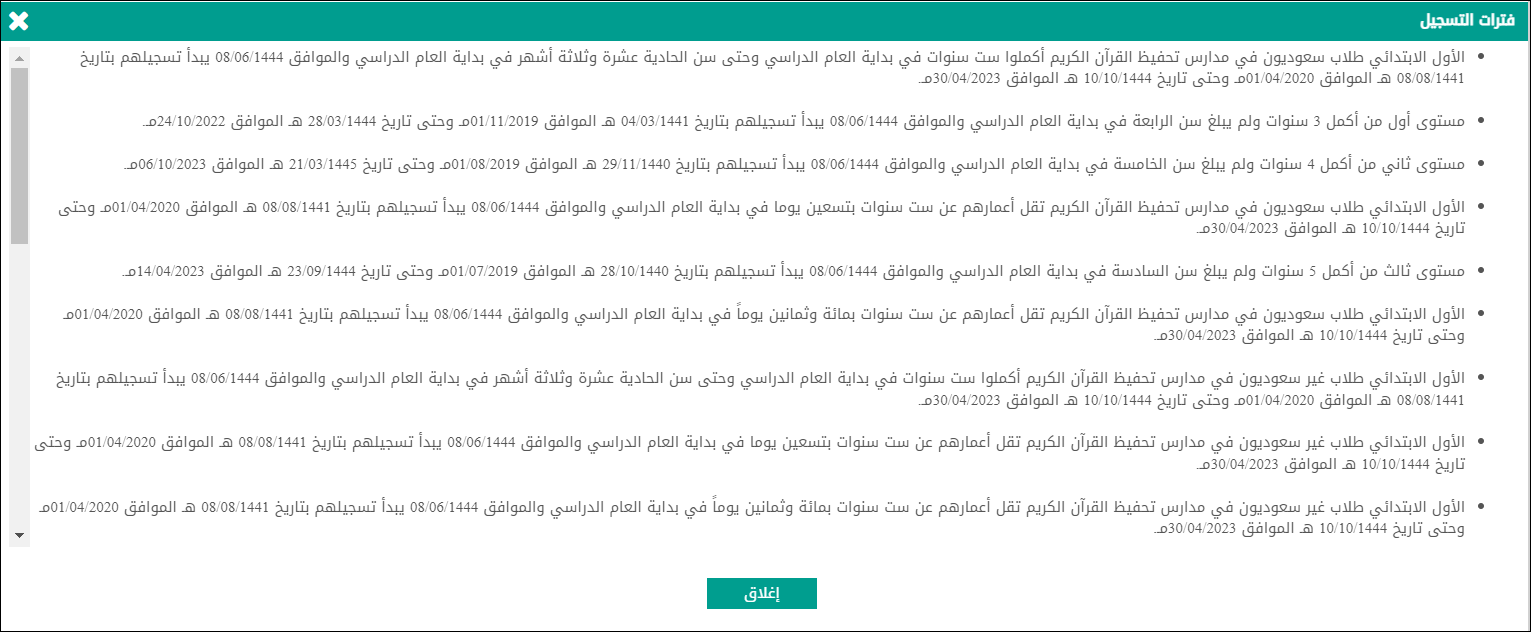
Before submitting, click "View Registration Periods" (عرض فترات التسجيل) to see the available windows for each level (KG levels 1/2/3, Grade 1 for Saudi and non-Saudi students). Each window shows start and end dates in both Hijri and Gregorian calendars.
- 03
Step 1 — Registration request
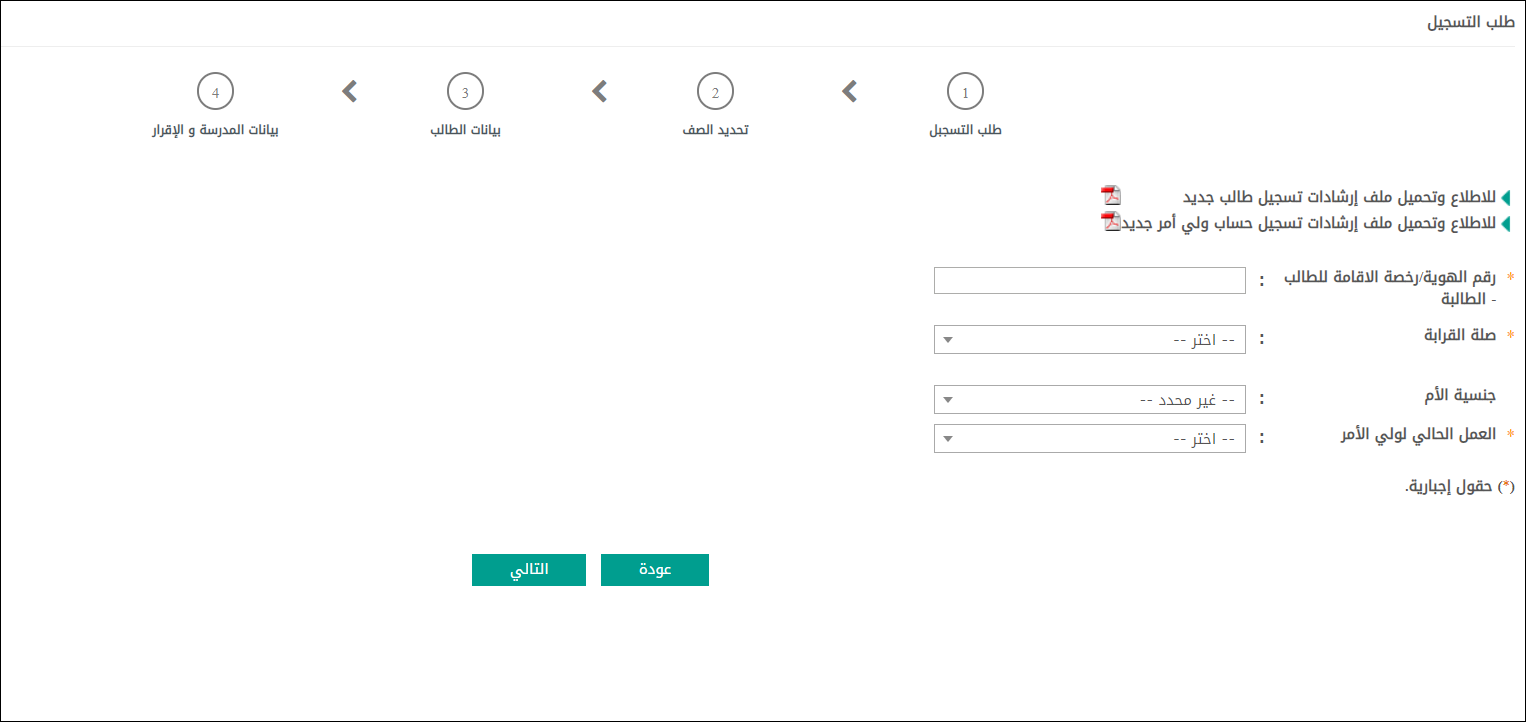
Click "Register New Student" and fill in Step 1: the student's national ID or Iqama, relationship to guardian (صلة القرابة), mother's nationality (جنسية الأم), and the guardian's current employment (العمل الحالي لولي الأمر). Click "Next" (التالي).
- 04
Step 2 — Select grade, then Step 3 — Student details
In Step 2, choose the target grade (KG level or Grade 1). In Step 3, enter the student's full name (Arabic and English), date of birth, gender, and upload a photo if prompted. All fields marked with * are mandatory.
- 05
Step 4 — Choose schools and submit
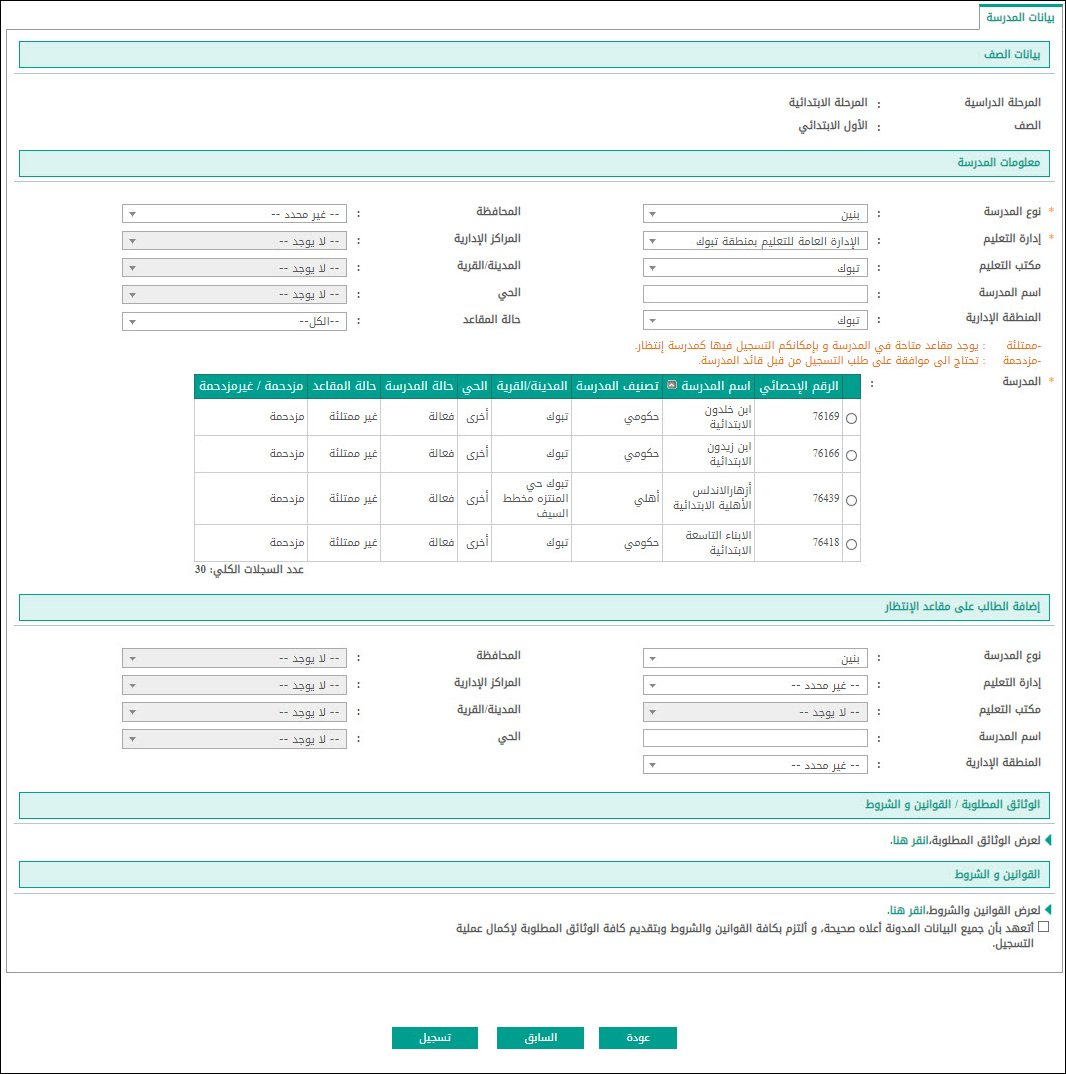
In Step 4, search for schools in your district by educational authority, type, and neighbourhood. The results table shows each school's name, type (government/private), and city. Select your preferred school(s), read and accept the terms and conditions, then click "Register" (تسجيل).
- 06
Track the assignment
After submission, your request appears under "Registration Requests" (طلبات التسجيل) with a status of "Under Review". Within 2–4 weeks the Ministry confirms the assigned school by SMS and on the dashboard. Visit the school in person with original documents to complete enrolment.
Useful tips
- Download the official instructions PDF from the registration screen ("للاطلاع وتحميل ملف إرشادات تسجيل طالب جديد") before you start — it lists every required document for your specific case.
- Registration is only for Grade 1 and KG. If your child is in a higher grade and needs to change schools, use the School Transfer flow instead.
- Prepare clear PDF scans of the family record (سجل الأسرة) and birth certificate before you start — blurry phone photos will be rejected at the document validation step.
- Track your submission status from the dashboard under "Registration Requests" — assignment notifications also appear there.
Common questions
Quick links
Looking for a school?
Browse our directory of 1,800+ schools across Saudi Arabia — filter by city, curriculum, fees, and ratings.
Reach parents choosing a school
Sponsor the academic calendar, exam schedule and guides — the pages parents check every term.