How to log in to Noor as a parent
First-time login, password recovery, and the most common login errors — fixed in under five minutes.
Noor moved to single sign-on — there's no Noor password anymore. Parents authenticate through Nafath (نفاذ), the national SSO that already powers Absher and most Saudi government services. Staff and students with credentials issued directly by their school use the alternative "Unified Login Portal". This guide walks the parent path end to end.
Step-by-step
- 01
Open the Noor login page
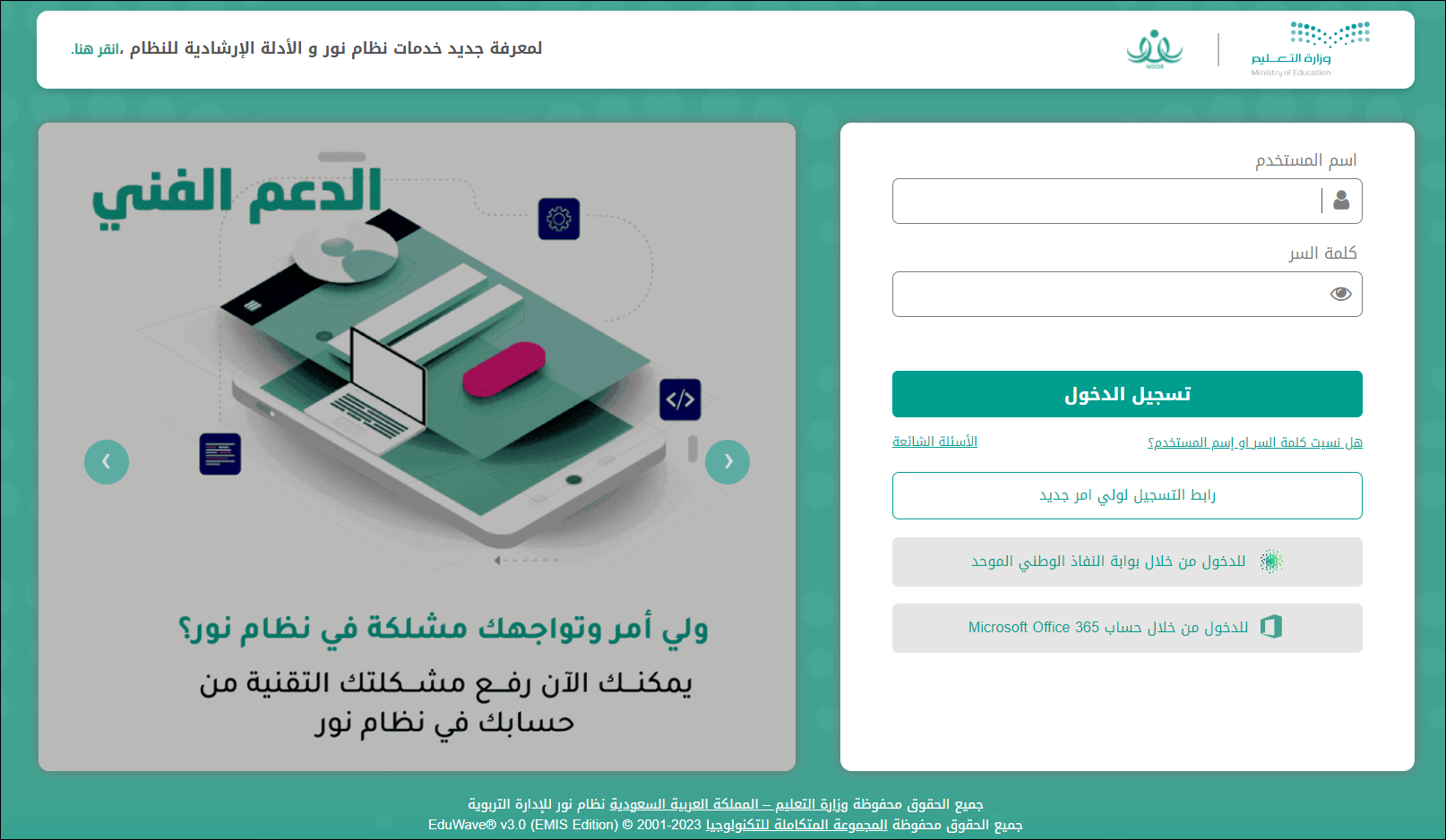
Visit noor.moe.gov.sa from any modern browser. You will see a username/password form alongside two SSO gateway buttons at the bottom — parents use the SSO path.
- 02
Click "Login through Absher system (Parent)"
At the bottom of the login form, click "الدخول من خلال نظام أبشر (ولي أمر)" (Login through Absher/Nafath — parent). This redirects you to the Nafath national identity gateway. Do not enter a Noor username here.
- 03
Enter your national ID or Iqama on the Nafath screen
Type your 10-digit national ID (Saudi citizens) or Iqama number (residents) — the same number you use for Absher. Nafath then sends a confirmation request to the Nafath app on your phone.
- 04
Approve the request in the Nafath app
Open the Nafath app on your phone. A push notification asks you to confirm by tapping the 2-digit number matching what Noor shows on screen, then authenticate with fingerprint or face ID. The request expires in 60 seconds — if you miss it, click "Resend" on Noor.
- 05
Land on the parent dashboard
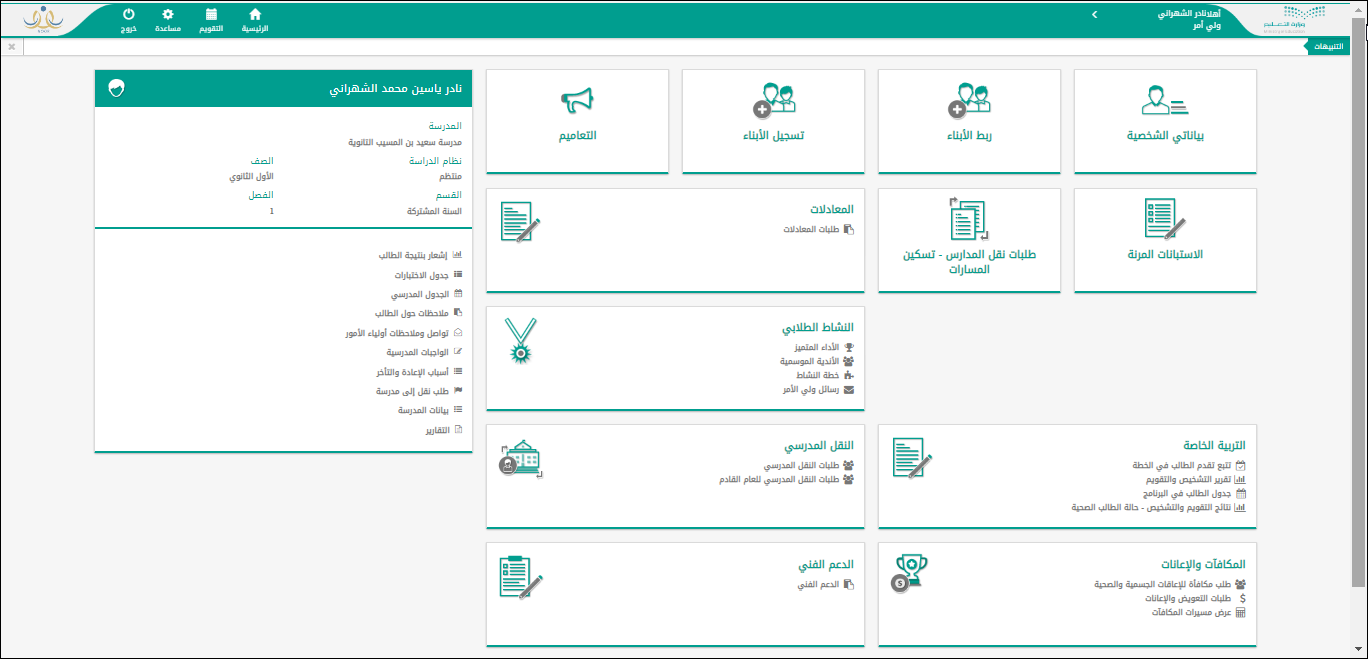
After Nafath confirms, you return to Noor and are signed in. All children registered under your national ID appear in the dashboard. Each tile links to that child's school record, schedule, grades, and more.
Useful tips
- Install the Nafath app and complete one-time activation (Saudi mobile + biometric setup) BEFORE you try to log in to Noor. Activation takes ~5 minutes and isn't possible from inside the Noor flow.
- Both Saudi citizens and Iqama-holding residents can use Nafath. The legacy SMS-only fallback was retired when Noor switched to SSO — the app is now required.
- If you're locked out of Nafath itself (lost phone, biometric reset), call the Absher support line on 920000890 first. Noor's own support (Awn 19996) can't help with Nafath authentication issues.
- Bookmark noor.moe.gov.sa to avoid lookalike phishing domains. Nafath will also refuse approval requests from any URL that isn't on the official allowlist.
Common questions
Quick links
Looking for a school?
Browse our directory of 1,800+ schools across Saudi Arabia — filter by city, curriculum, fees, and ratings.
Reach parents choosing a school
Sponsor the academic calendar, exam schedule and guides — the pages parents check every term.