How to transfer your child between schools on Noor
The official school transfer flow — from request to approval — works entirely through Noor for any MOE-aligned school in Saudi Arabia.
School transfers between MOE-aligned schools are free and processed through Noor. The current school must approve the release, then the new school confirms a seat. This guide covers transfers within the same district as well as cross-city moves, including the typical timeline.
Step-by-step
- 01
Sign in to Noor as the registered guardian
Only the parent recorded as the registered guardian on the student's profile can submit a transfer request. Sign in via Nafath/Absher and open the student's profile from the dashboard.
- 02
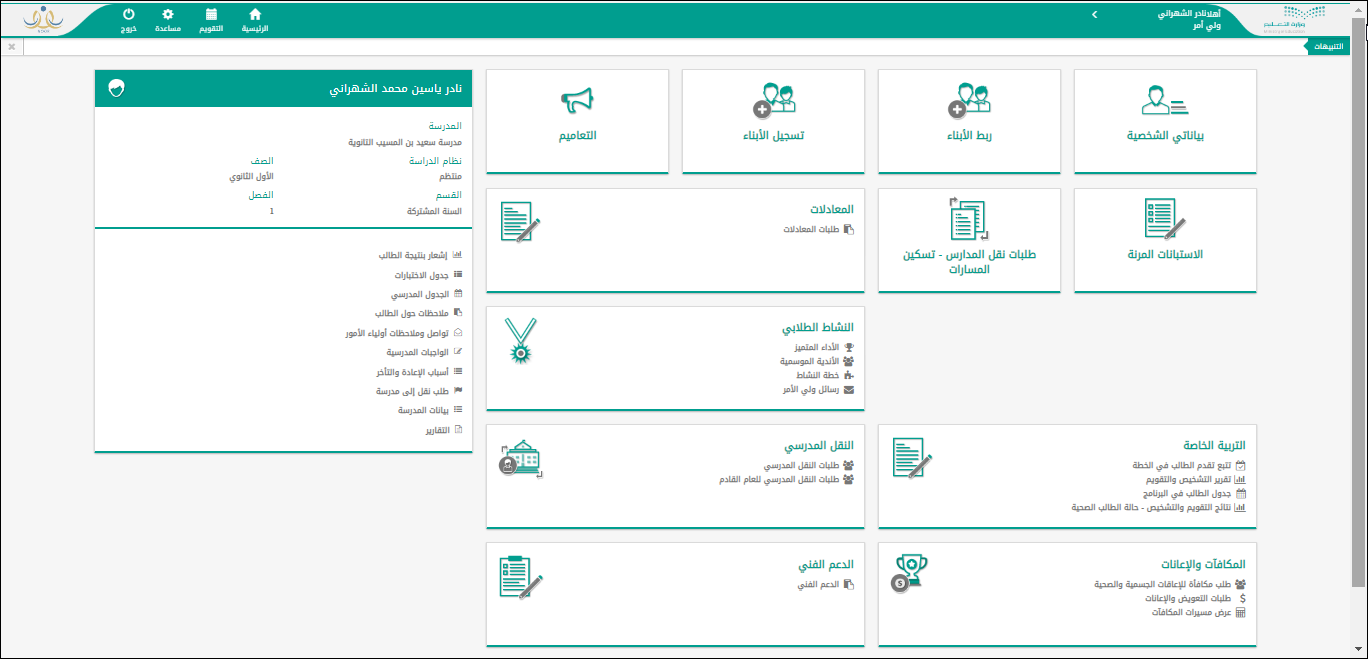
Open School Transfer from the dashboard
From the main dashboard, click the "School Transfer" (النقل المدرسي) tile. You will see two sub-options: transfer requests for the current year and transfer requests for the upcoming year. Click the relevant one.
- 03
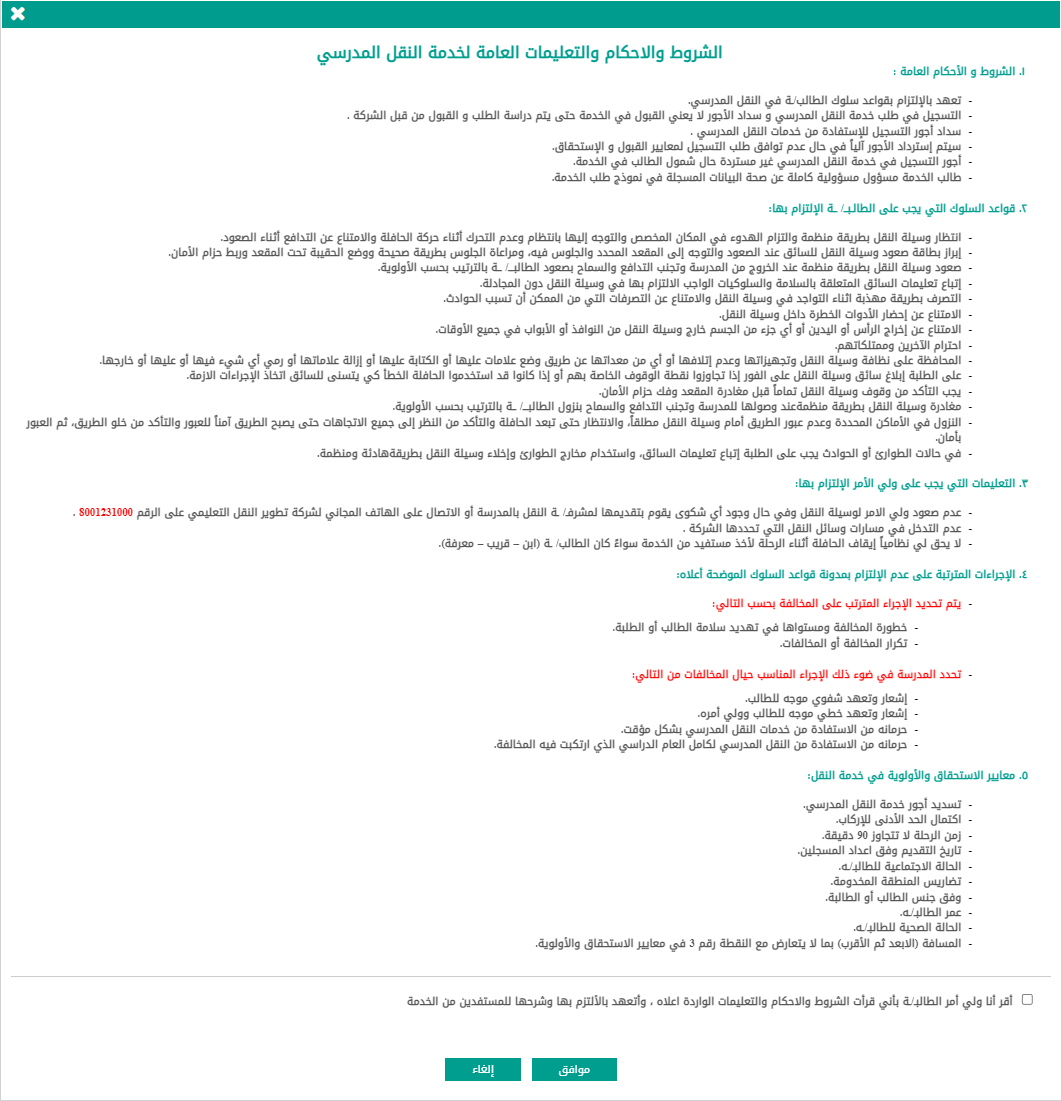
Read and accept the terms and conditions
Before proceeding, Noor displays the full terms and conditions for the school transfer service — covering eligibility rules, processing timelines, and the situations where transfers may be refused. Scroll to the bottom and click "Agree" (موافق) to continue.
- 04
Submit the transfer request
Select the current school, choose the destination school, and enter a transfer reason (relocation, health, family, etc.). Upload any supporting documents required (e.g. new lease for relocation). Click "Submit" to send the request.
- 05
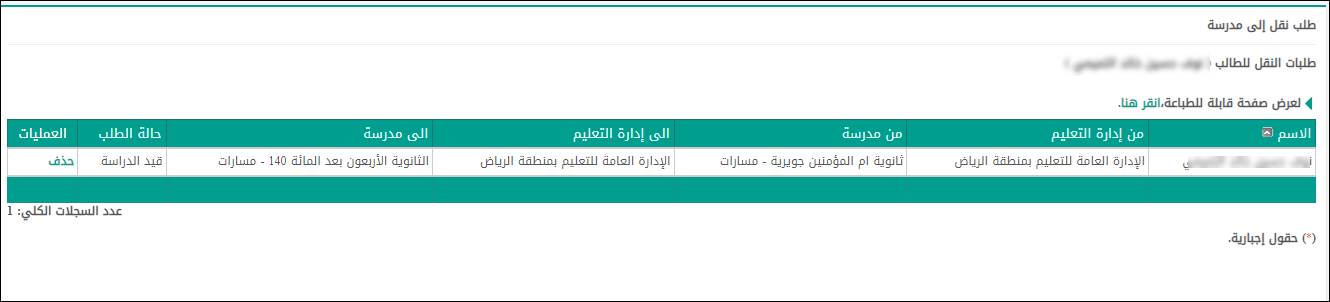
Track the request status
After submission, the request appears in the transfer requests list showing the student's name, current school, destination school ("to administration" and "to school"), and current status. The current school must approve first, then the destination school confirms a seat.
- 06
Complete enrolment at the new school
Once both schools approve, you receive an SMS confirmation. Visit the new school in person with original documents to finalise enrolment. The transfer is not complete until you do this step.
Useful tips
- Inter-district transfers (between cities) take longer than within-district moves — file at least 4 weeks before the term you want to start in the new school.
- Mid-term transfers can be delayed by the current school until the end of the term to avoid disrupting assessments. Plan around term breaks where possible.
- Government-to-private and private-to-private transfers don't go through Noor's transfer flow — you withdraw from one and register at the other separately.
Common questions
Quick links
Looking for a school?
Browse our directory of 1,800+ schools across Saudi Arabia — filter by city, curriculum, fees, and ratings.
Reach parents choosing a school
Sponsor the academic calendar, exam schedule and guides — the pages parents check every term.