Madrasati parent guide
How parents sign in using Noor credentials (not Microsoft), view the daily timetable, track homework and attendance, and communicate with teachers.
Parents access Madrasati using their Noor (نور) system credentials — not a Microsoft account. On the Madrasati login page, parents select 'Parents and Administrators' (ولي الأمر والإداريين) from the dropdown and sign in with Noor. Once in, you see your child's daily schedule, current homework, attendance reports, and teacher messages.
Step-by-step
- 01
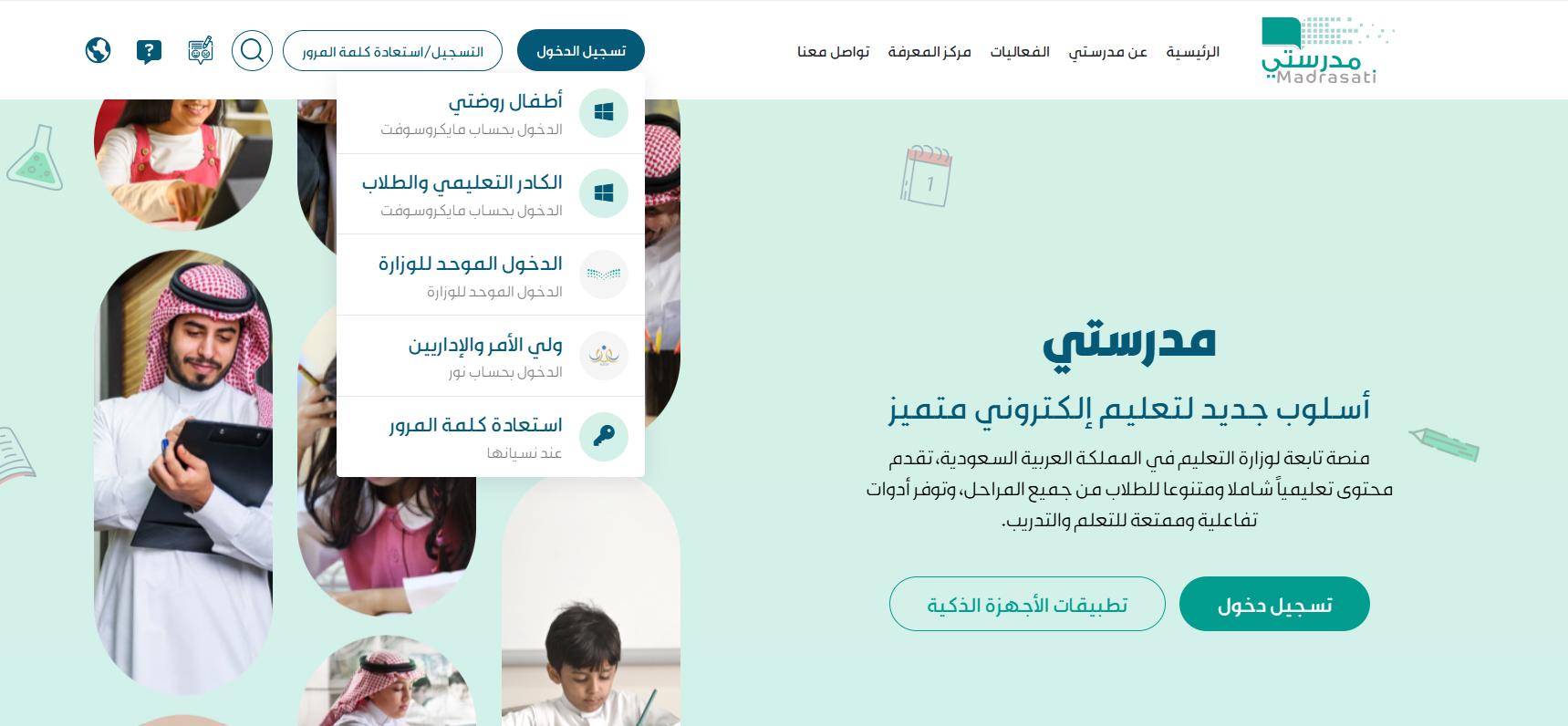
Open madrasati.sa and select 'Parents and Administrators'
Go to madrasati.sa. Click 'Sign in' (تسجيل الدخول). From the dropdown, choose 'Parents and Administrators' (ولي الأمر والإداريين — الدخول بحساب نور). This opens the Noor login — NOT the Microsoft sign-in that students use.
- 02
Sign in with your Noor credentials
Enter your Noor username and password. This is the same login used on the Noor academic portal. One Noor account shows all your children enrolled in Saudi schools.
- 03
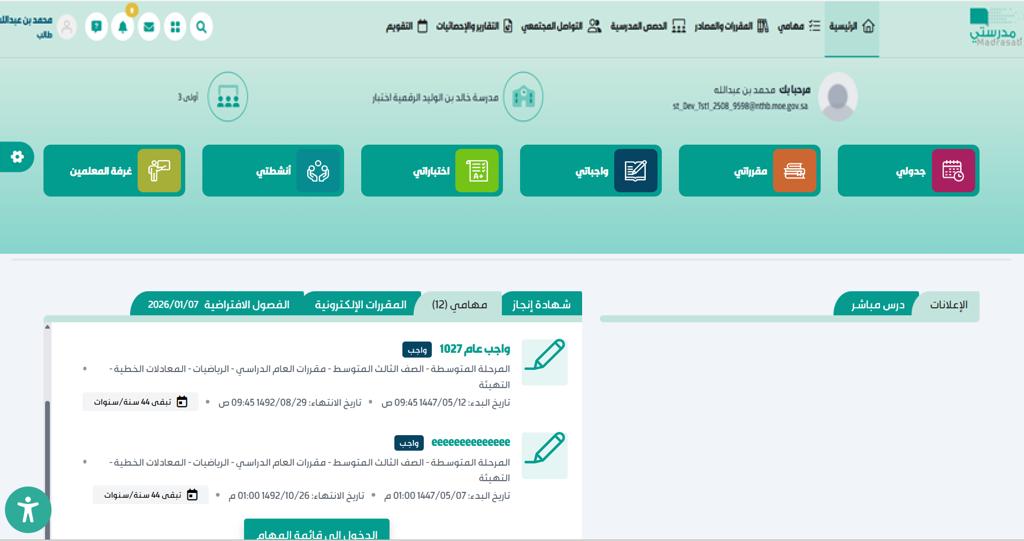
Select a child and view the dashboard
After signing in, the parent dashboard appears. If you have multiple children, select the child you want to view.
- 04
Review homework and tasks
Go to Courses and Resources (المقررات والمصادر) → Homework (الواجبات) to see current, expired, and completed assignments. You can see what's been submitted and any teacher grades.
- 05
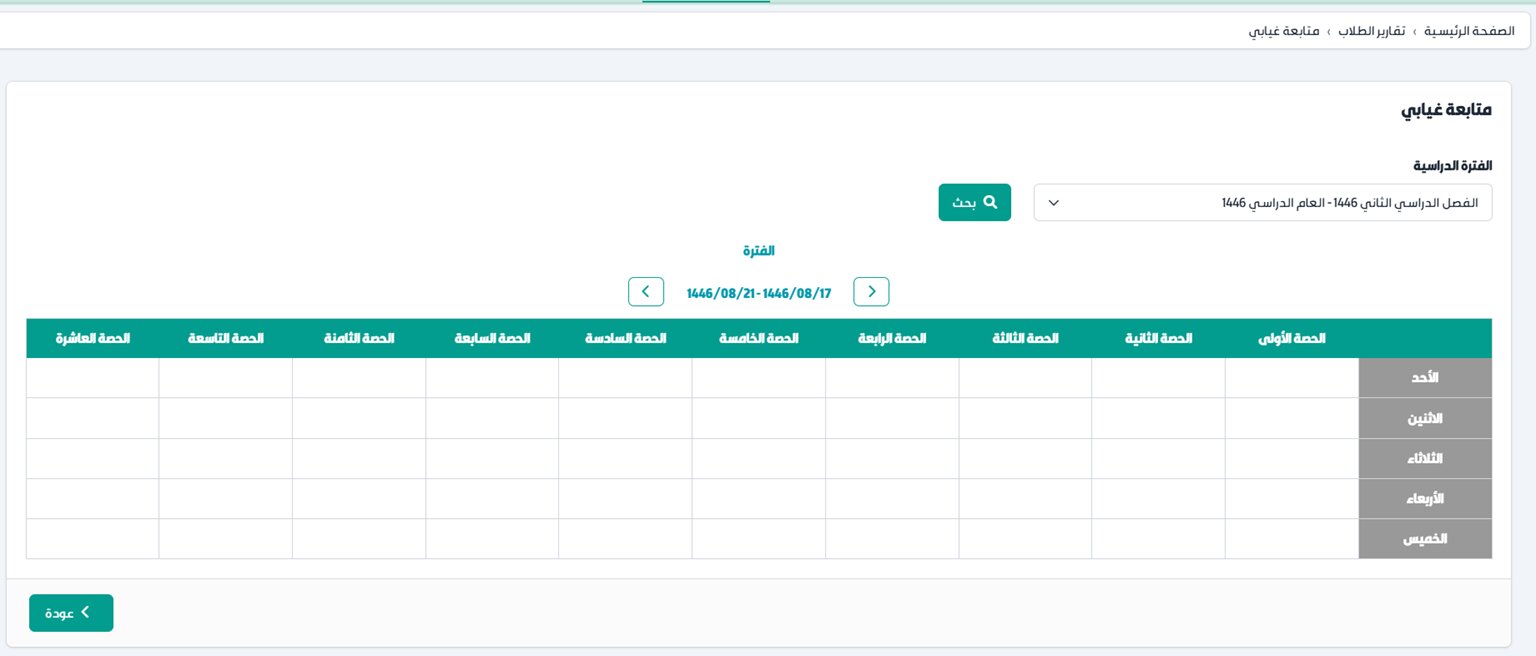
Check attendance and reports
Go to Reports and Statistics (التقارير والإحصائيات) to view attendance records, absence follow-up by period, academic level, and behaviour reports.
- 06
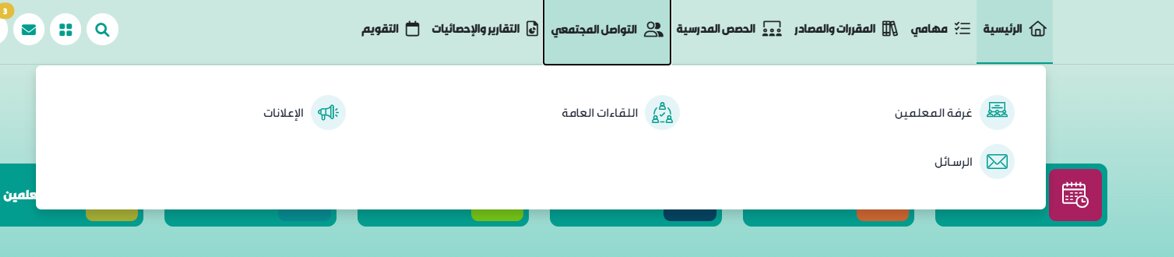
Communicate with teachers
Open Community (التواصل المجتمعي) to access Messages (الرسائل), Announcements (الإعلانات), and the Teachers Room (غرفة المعلمين) for school-wide communications.
Useful tips
- One Noor login covers all your children enrolled in Saudi schools — switch between them from the parent dashboard.
- The Absence Follow-up report (متابعة غيابي) in Reports & Statistics gives the most detailed attendance view — by period, by day.
- Enable notifications in the Madrasati app settings to get alerts for new homework, exam results, and teacher messages.
- If your Noor credentials aren't working, verify them on the Noor portal first. If Noor itself is inaccessible, contact the school admin office.
Common questions
Quick links
Looking for a school?
Browse our directory of 1,800+ schools across Saudi Arabia — filter by city, curriculum, fees, and ratings.
Reach parents choosing a school
Sponsor the academic calendar, exam schedule and guides — the pages parents check every term.