How to print certificates from Noor
Term reports, final report cards, behaviour certificates, and enrolment letters — all generated as official PDFs with a QR code that universities and embassies can verify.
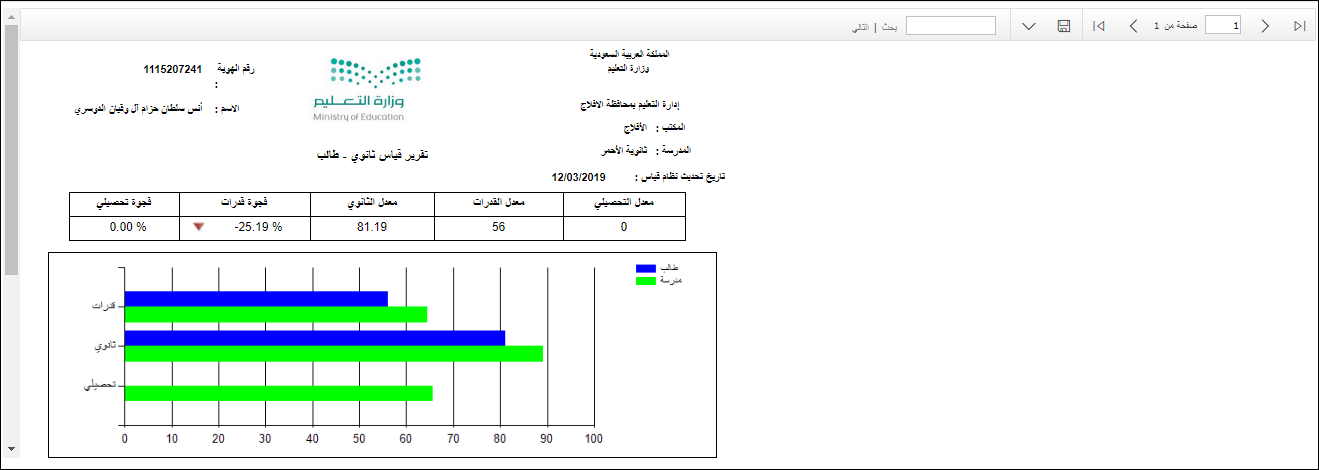
Every certificate Noor generates carries a QR code linking to a Ministry-hosted verification page, making the digital PDF an officially recognised document — embassies, universities, and HR teams accept it without needing a stamped paper copy. Available certificates include: enrolled student ID certificate (شهادة تعريف طالب منتظم), the grade report (كشف الدرجات), the Qiyas assessment report, and specialised reports like the airline discount certificate.
Step-by-step
- 01
Sign in to Noor via Nafath / Absher
Open noor.moe.gov.sa, click "الدخول من خلال نظام أبشر (ولي أمر)", enter your national ID or Iqama, and approve the Nafath request on your phone.
- 02
Open the student's profile from the dashboard
From the dashboard, identify the student on the left panel (showing school, grade, class). The left sidebar shows all sections including Reports (التقارير) at the bottom.
- 03
Open Reports and choose the certificate type
Click "التقارير" (Reports) in the left sidebar. You will find multiple report types: grade sheets (كشوف الدرجات), follow-up report (كشف المتابعة), rewards reports, and other certificates.
- 04
Generate the Enrolled Student Certificate
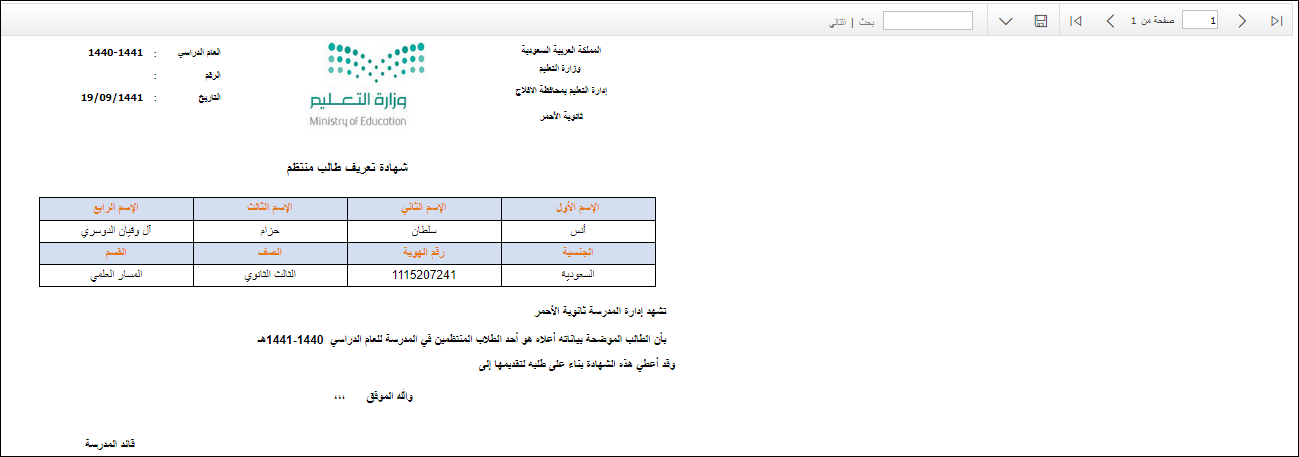
For an official enrolment confirmation, go to Reports → Other Reports (تقارير أخرى) → Enrolled Student ID Certificate (شهادة تعريف طالب منتظم). The system generates a printable certificate with the student's name, ID, grade, and school stamp.
- 05
Print or save as PDF
Use the printer icon at the top of the report viewer. Choose "Save as PDF" in the print dialog. The QR code on the certificate links to the Ministry's verification page — scan it to confirm authenticity.
- 06
For airline discount certificates
Saudi students enrolled in MOE schools can request a subsidised domestic airline ticket certificate. Go to Reports → Other Reports → Airline Ticket Request (طلب تذكرة داخلية مخفضة للطلاب السعوديين). This certificate must be presented when buying the ticket.
Useful tips
- Save every certificate to a named folder in your cloud storage immediately after generating it — certificates older than 3 academic years sometimes drop off the online list.
- The QR code on every certificate is the official verification. Anyone scanning it sees the same data the Ministry holds. You don't need a physical stamp.
- For applications outside Saudi Arabia, you may also need an attested English translation from the Ministry's Document Authentication Service (مركز التوثيق). Noor itself only issues Arabic certificates.
- Certificates are only available for the currently enrolled academic year and recent past years. If you need a certificate from many years ago, request it from the school registrar in person.
Common questions
Quick links
Looking for a school?
Browse our directory of 1,800+ schools across Saudi Arabia — filter by city, curriculum, fees, and ratings.
Reach parents choosing a school
Sponsor the academic calendar, exam schedule and guides — the pages parents check every term.