How to check student grades on Noor
Open your child's term report or final report card on Noor in five clicks. Works on desktop and the Noor mobile app.
Schools post grades to Noor within 48 hours of the official term end date. Once a result is published, both parents and students can view, download, and print the report card as a PDF — the same document the school issues officially.
Step-by-step
- 01
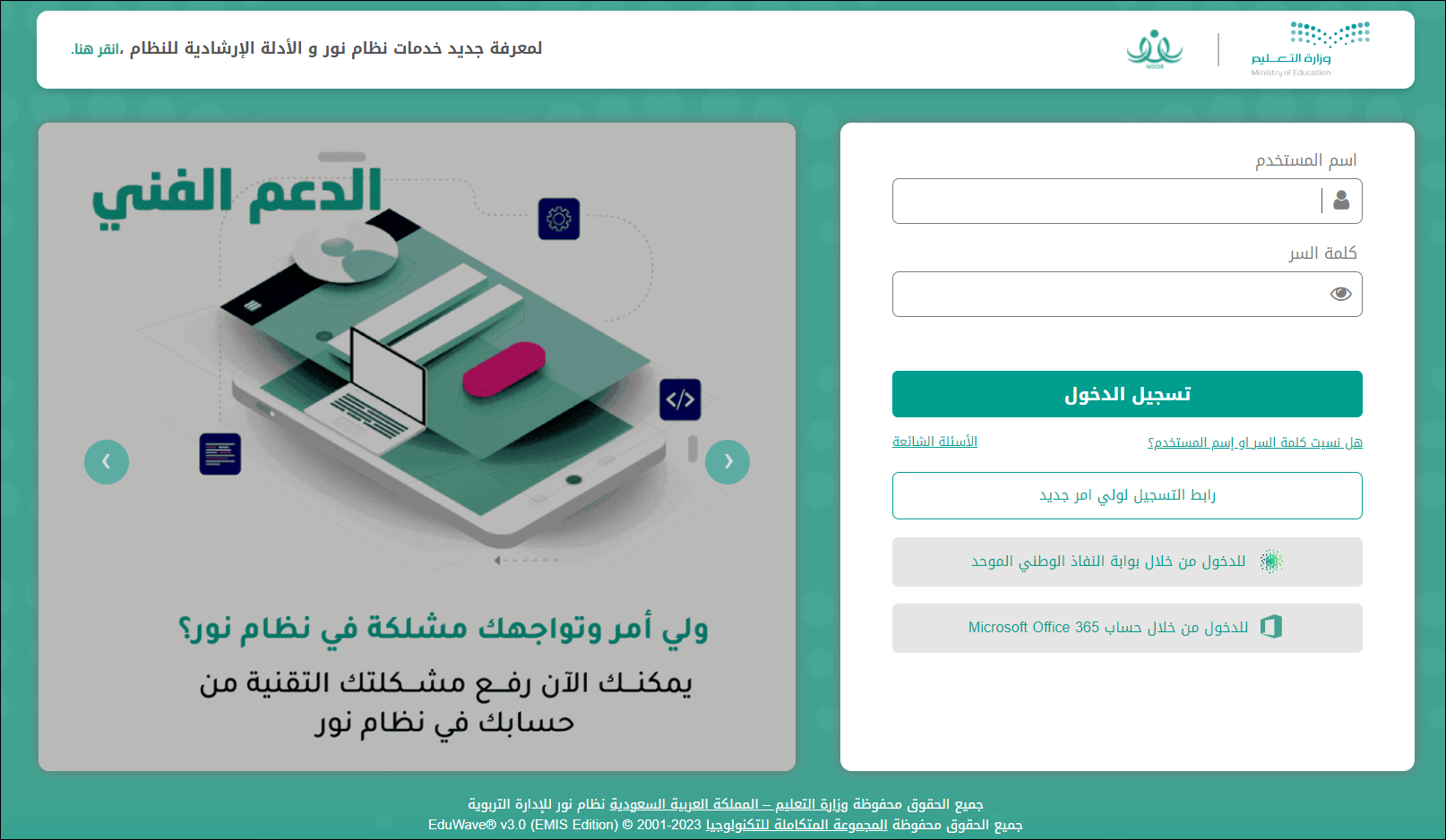
Sign in to Noor via Nafath / Absher
Visit noor.moe.gov.sa and click "الدخول من خلال نظام أبشر (ولي أمر)" at the bottom of the login form. Enter your national ID or Iqama and approve the request in the Nafath app on your phone.
- 02
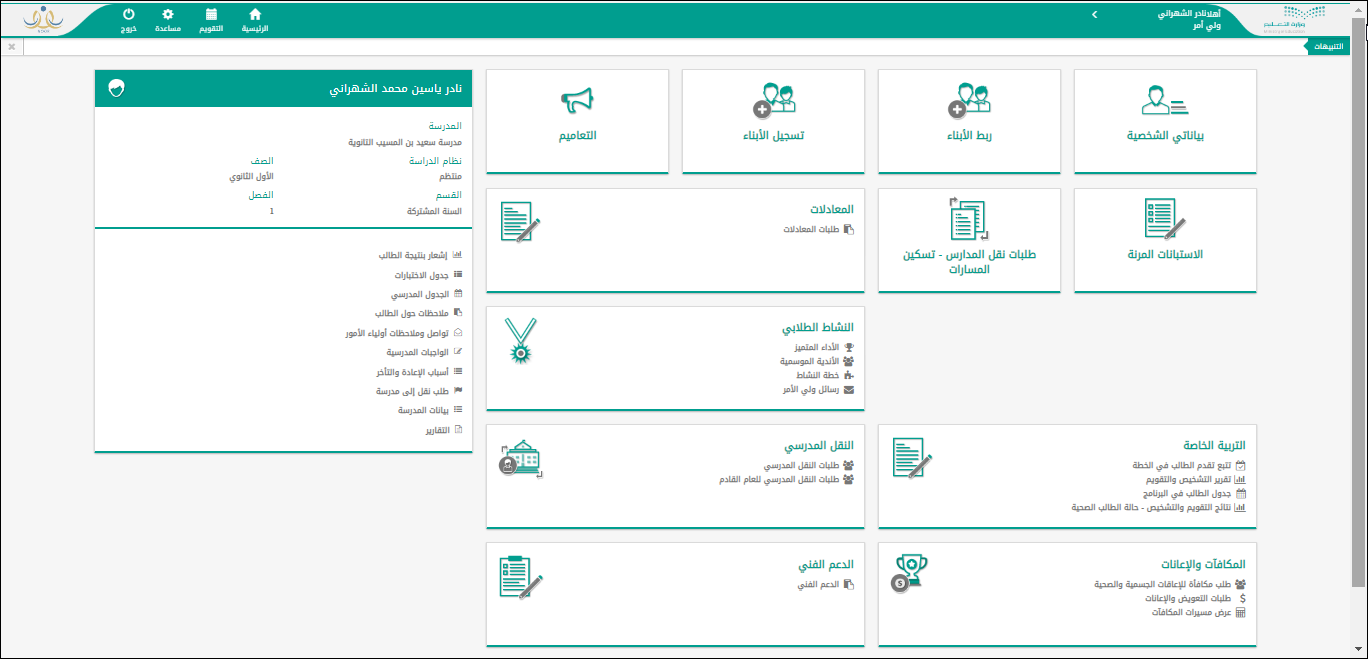
Open the student's tile from the dashboard
After signing in, the parent dashboard shows the student panel on the left with the child's name, school, grade, and class. On the right you will see tiles for all available actions including Reports (التقارير).
- 03
Open Reports → Grade Report
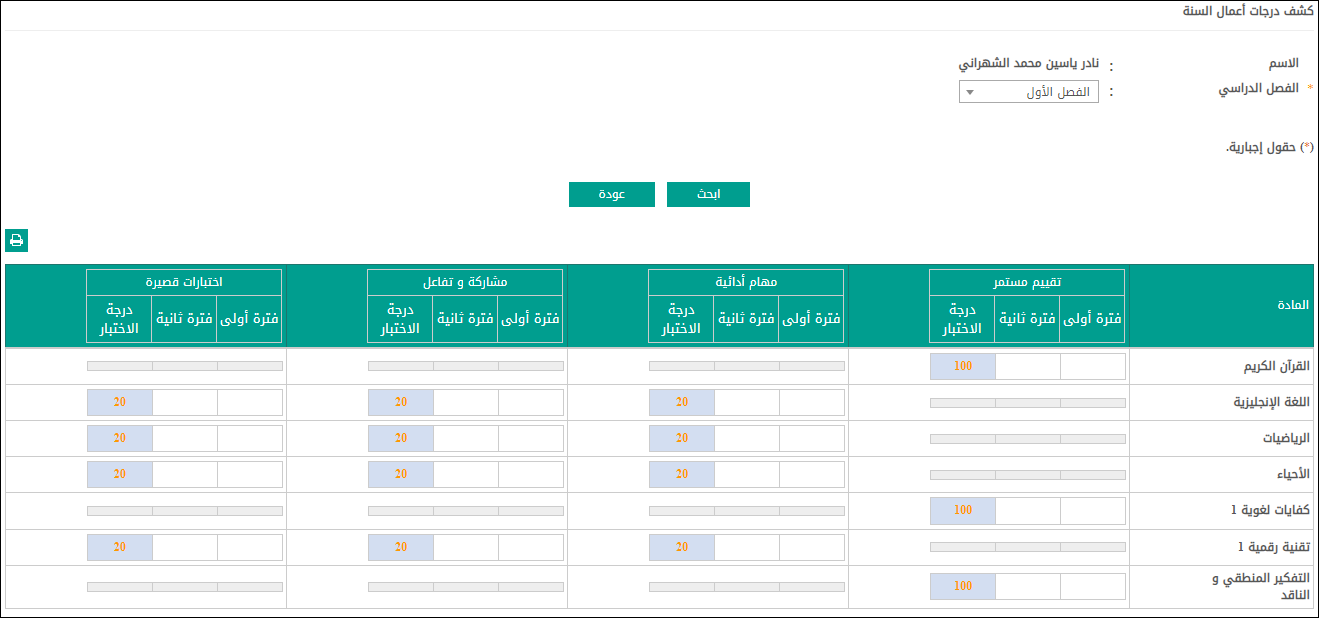
From the student's profile, click the "Student Icon" (أيقونة الطالب) section on the left sidebar and choose "Reports" (التقارير). Select "Grade Sheets" (كشوف الدرجات) to see the continuous assessment report for each subject.
- 04
Select the academic year and term
At the top of the report, choose the academic year and the term (first or second semester). Click "Search" (بحث) to load the report. Subjects are listed in rows with columns for each assessment type.
- 05
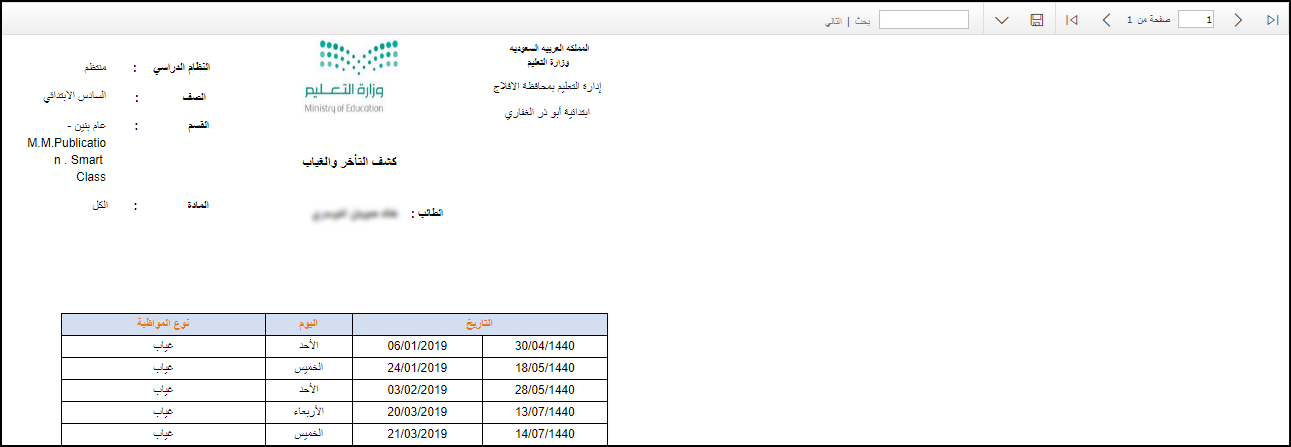
View the Follow-up Report for attendance
Back in the Reports section, select "Follow-up Sheet" (كشف المتابعة) to see the attendance and behaviour record — absences (غياب), tardiness (تأخر), and any deductions. This is a separate report from the grade sheet.
- 06
Print or save as PDF
Use the printer icon (🖨) at the top-left of any report. Choose "Save as PDF" in the print dialog to keep a digital copy. The PDF carries a QR code that universities and embassies can verify.
Useful tips
- Wait at least 48 hours after the official term end date before assuming a grade is missing — schools enter results, the Ministry only displays them.
- The grade sheet (كشف درجات أعمال السنة) shows continuous assessment marks; the final cumulative result is in the separate Achievement Report (تقرير الإنجاز).
- Save the PDF immediately after it is published. Certificates older than 3 academic years sometimes drop off the online list.
- If a grade is blank a week after term ends, contact the school's academic office — neither parents nor the Ministry can enter grades on the school's behalf.
Common questions
Quick links
Looking for a school?
Browse our directory of 1,800+ schools across Saudi Arabia — filter by city, curriculum, fees, and ratings.
Reach parents choosing a school
Sponsor the academic calendar, exam schedule and guides — the pages parents check every term.